Features
Everything you need to run a small team's roster — and nothing you don't.
Drag-and-drop roster builder
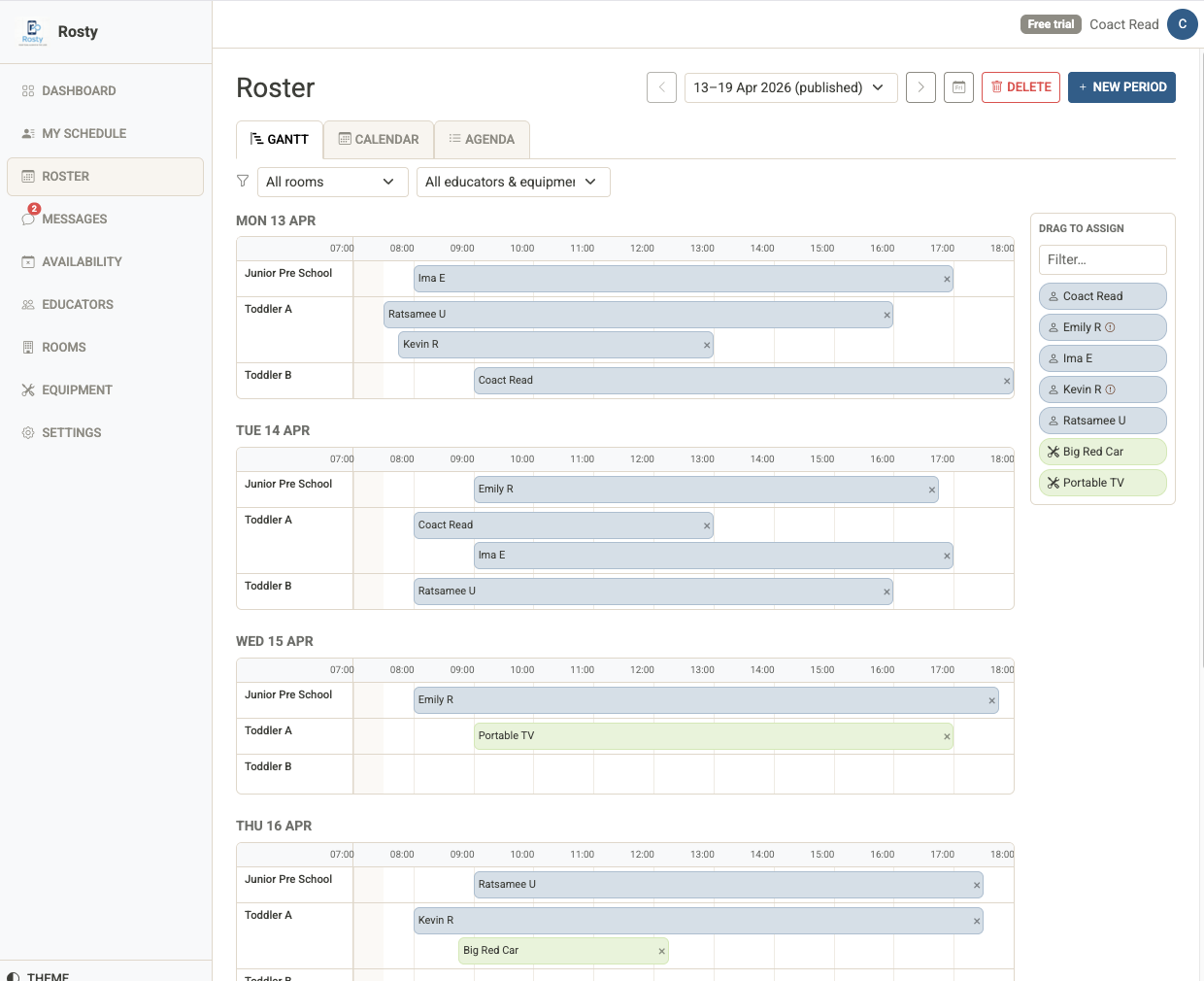
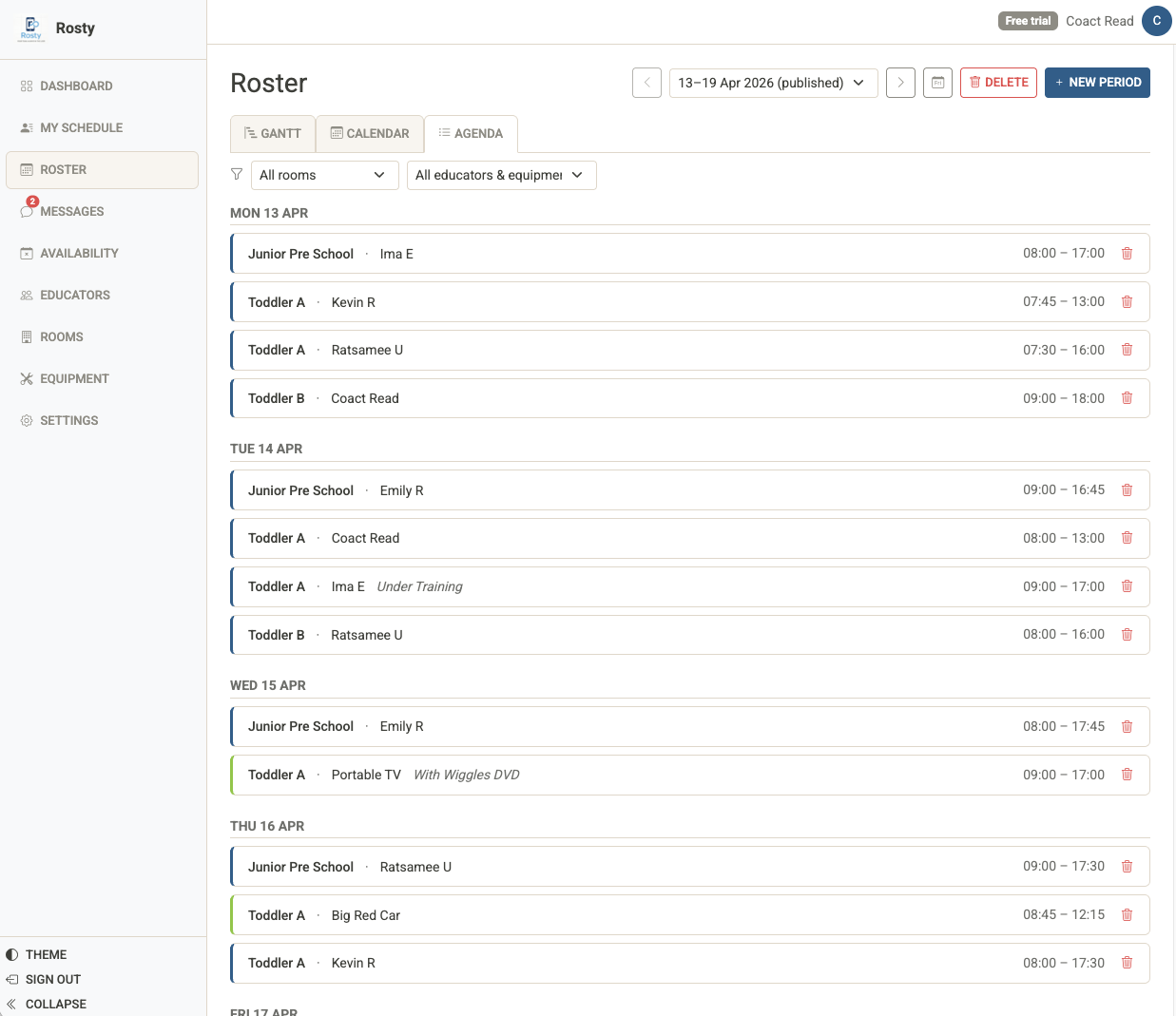
Create roster periods and fill them in minutes. Three view modes let you see the schedule in whichever way suits your team best.
- Gantt view — drag, resize, and see conflicts at a glance
- Calendar view — day, 3-day, and week grids with cross-day drag
- Agenda view — clean chronological list; great for printing
- Click any assignment to edit times, notes, or assignee
- Copy period — duplicate last week as a starting point
- Filter by resource or assignee across all views
- Today button — jump to the period containing today
Know about clashes before you publish
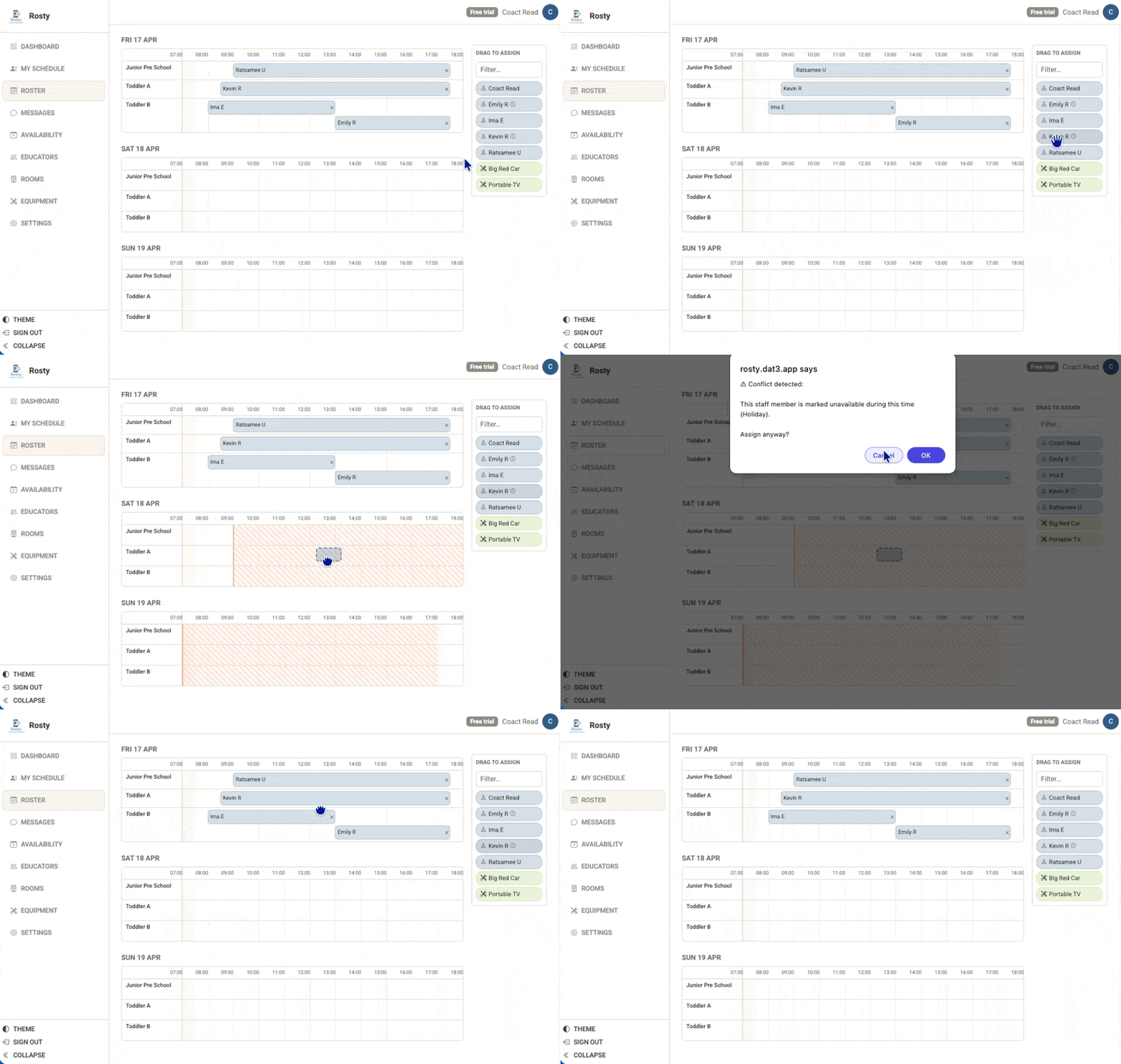
Rosty checks availability and overlapping shifts every time you make an assignment — whether you're dragging, resizing, or editing in the modal.
- Amber hatched overlay on unavailable time during drag
- Conflict badges on assignment blocks
- Warning dots on staff chips in the assignment sidebar
- Admin can override with a confirmation when needed
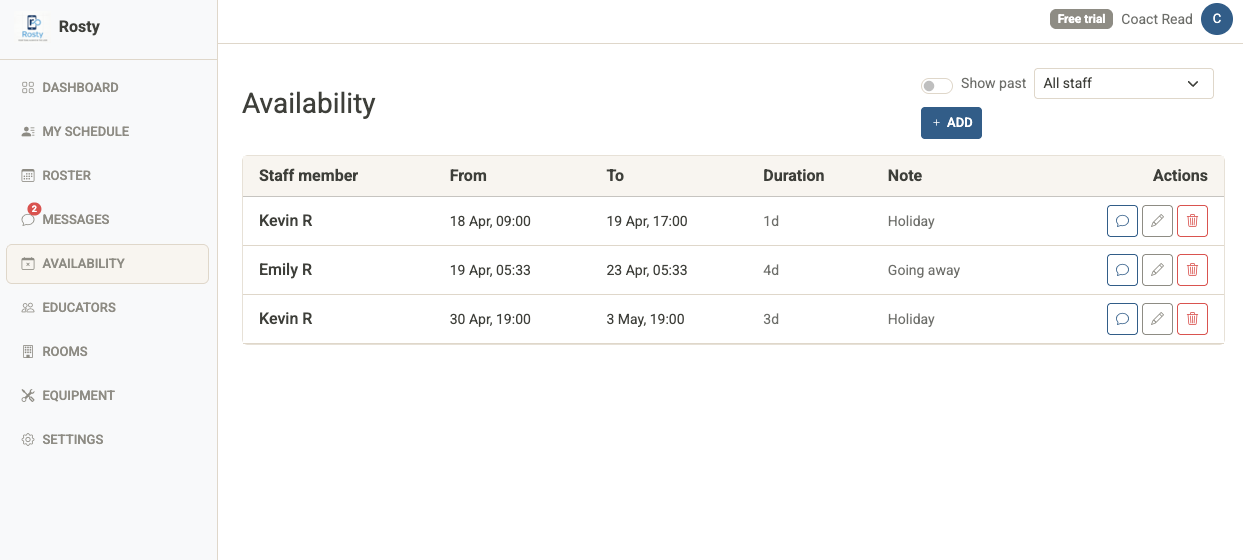
Full unavailability management
Staff mark themselves unavailable — you see it the moment you try to roster them. Admins can manage all unavailability from a dedicated page and message staff in one click.
- Staff mark unavailability from their schedule view
- Admin sees all upcoming unavailability in one table
- Add, edit, or delete any record
- Quick-message a staff member from the same row
- Toggle "Show past" to see historical records
Messaging built right in
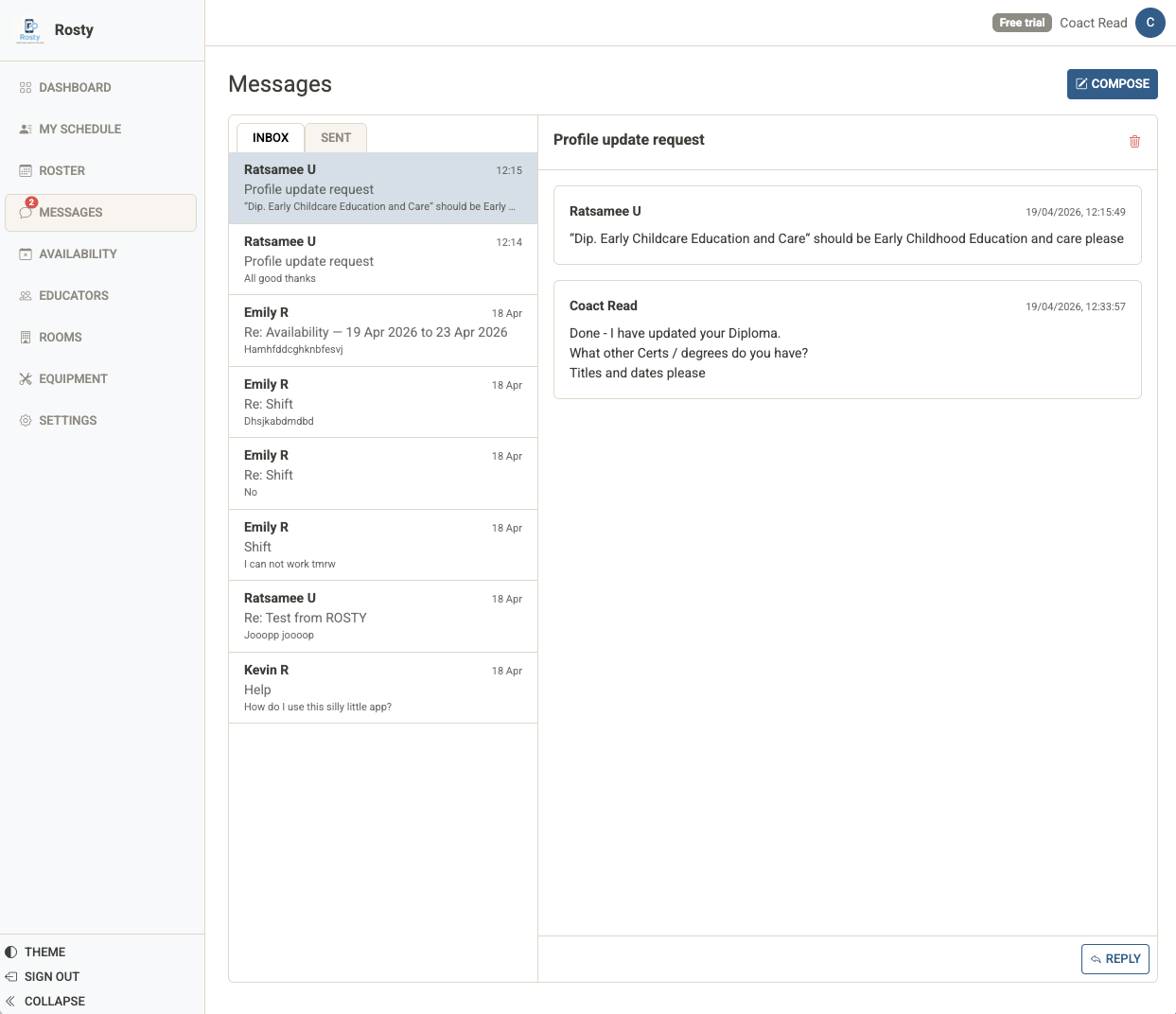
No need to switch to email or a separate messaging app. Send messages to staff from the roster, the availability page, or the staff profile.
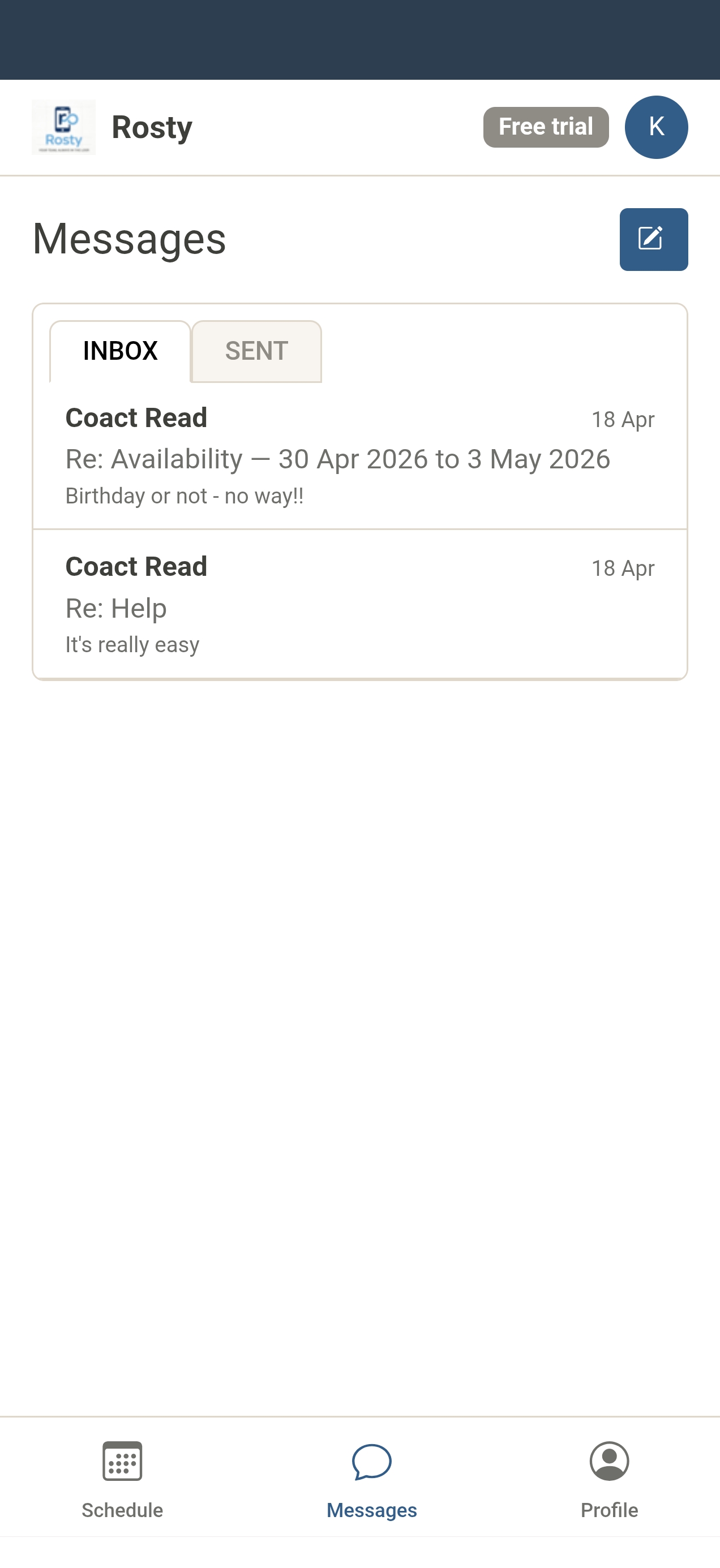
- Threaded in-app inbox for admins and staff
- Email notification for every new message
- File attachments — PDF, images, Office docs (up to 5 MB)
- Inline image preview in message threads
- Unread count badge in the navigation
- Sticky reply footer on mobile for fast responses
Everything about your staff, in one place
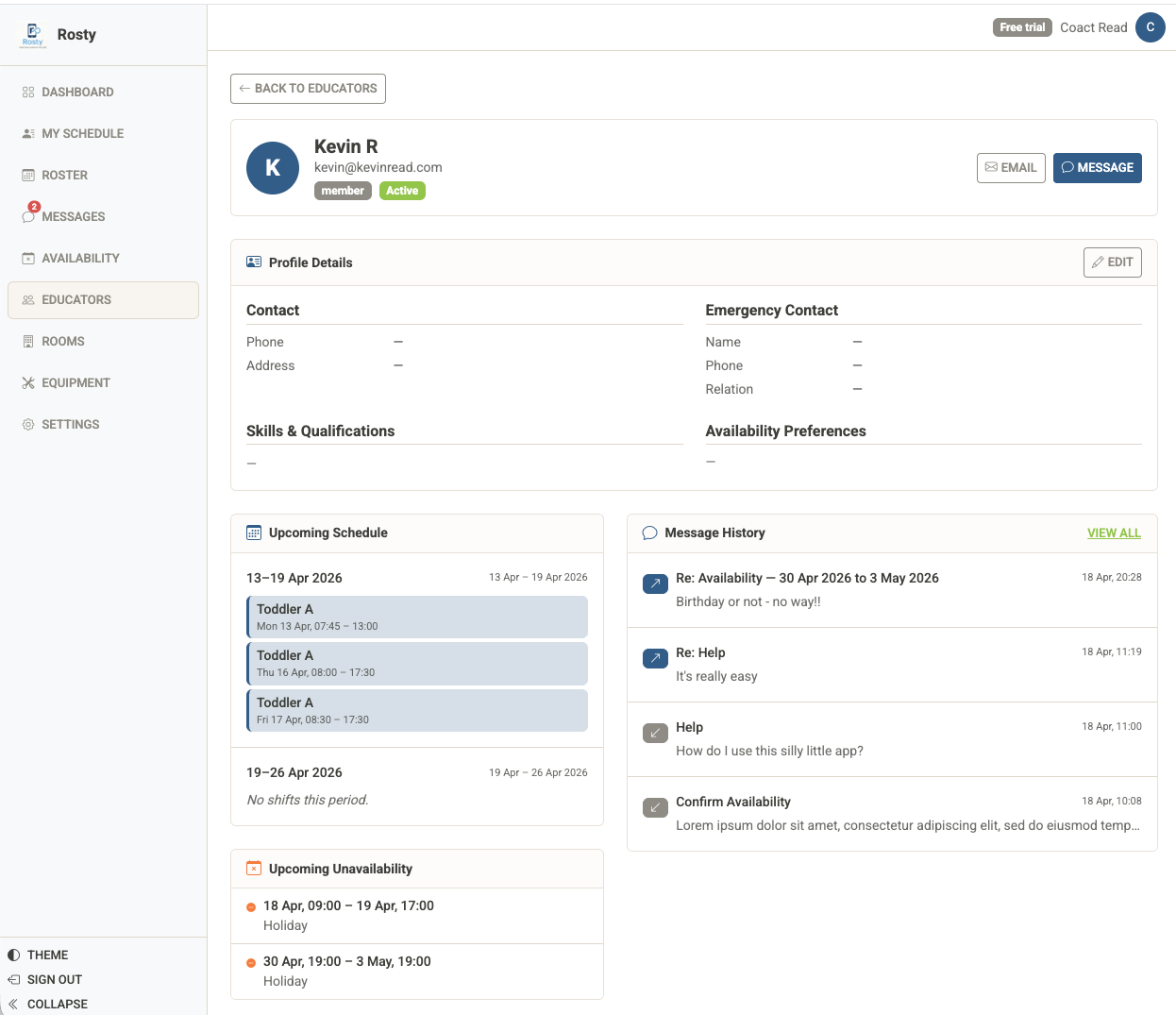
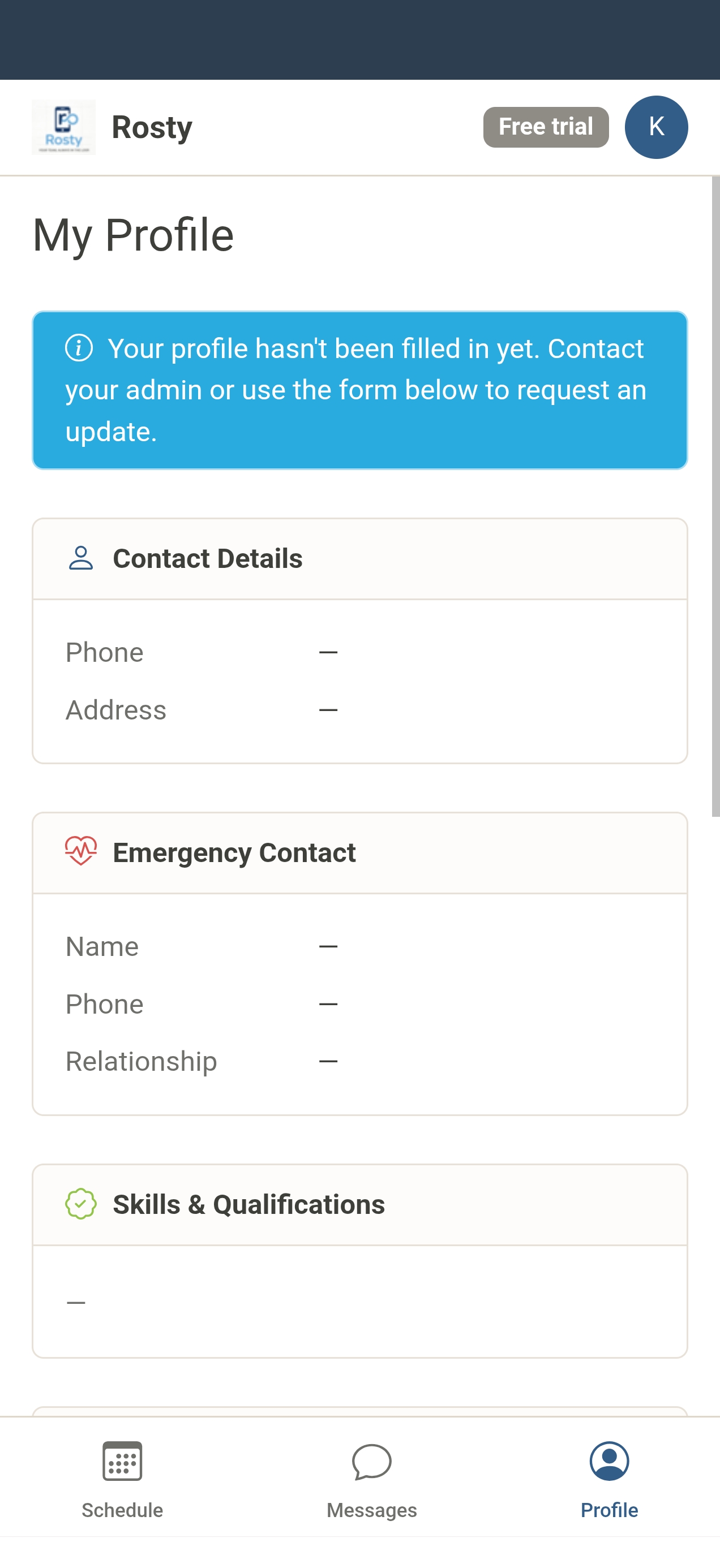
Store contact details, emergency contacts, skills, and availability preferences per staff member. Click any name in the staff list to open their full profile.
- Phone and address
- Emergency contact — name, phone, relationship
- Skills and qualifications as tags
- Availability preferences and notes
- Upcoming schedule across next 2 roster periods
- Message history and quick compose
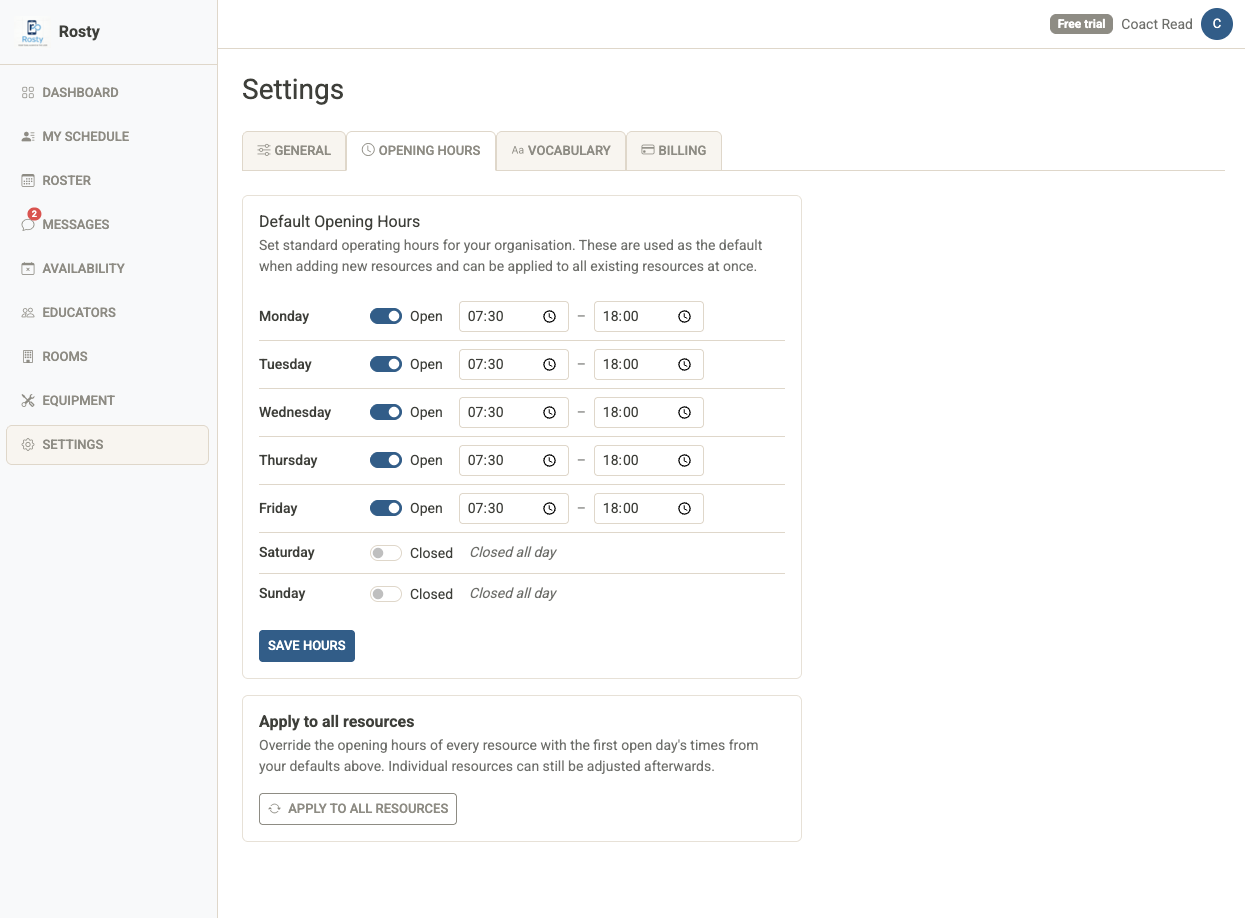
Resources and opening hours
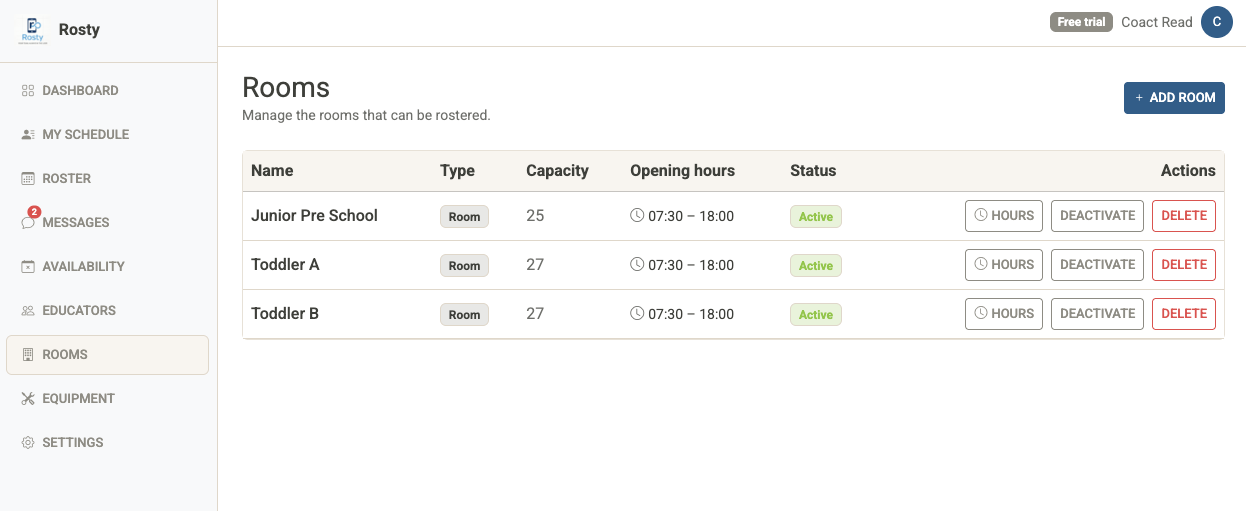
Define the rooms, bays, stations, or any other resources your team works in. Set opening hours per resource, or configure organisation-wide defaults.
- Unlimited resources per organisation
- Per-resource opening and closing times
- Organisation default hours — apply to all resources in one click
- Per-day-of-week defaults (Mon–Sun)
- Equipment managed separately from resources
Built for staff on the go
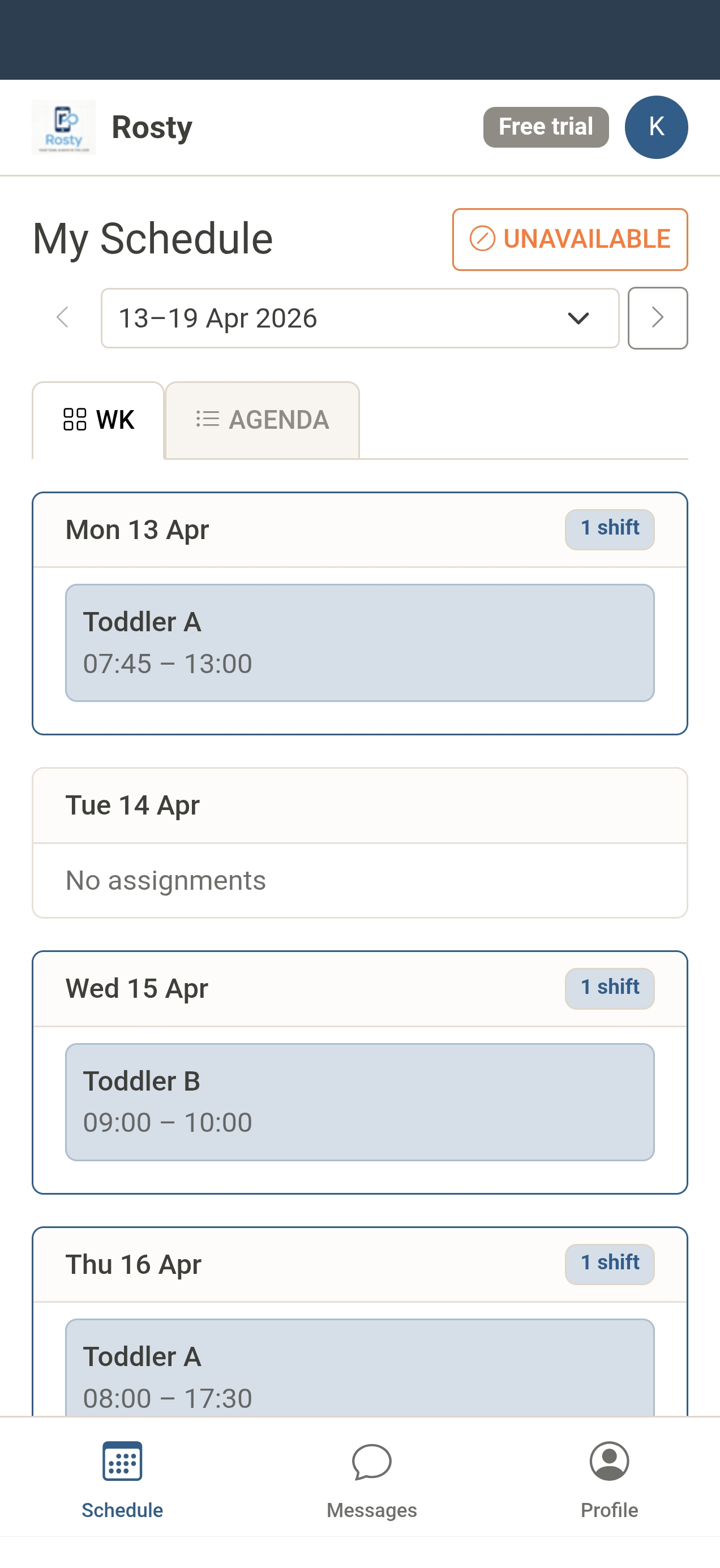
Staff get a dedicated mobile experience — fixed bottom tab bar, no cluttered sidebar. Admins get the full desktop-quality app on mobile too.
Speaks your language
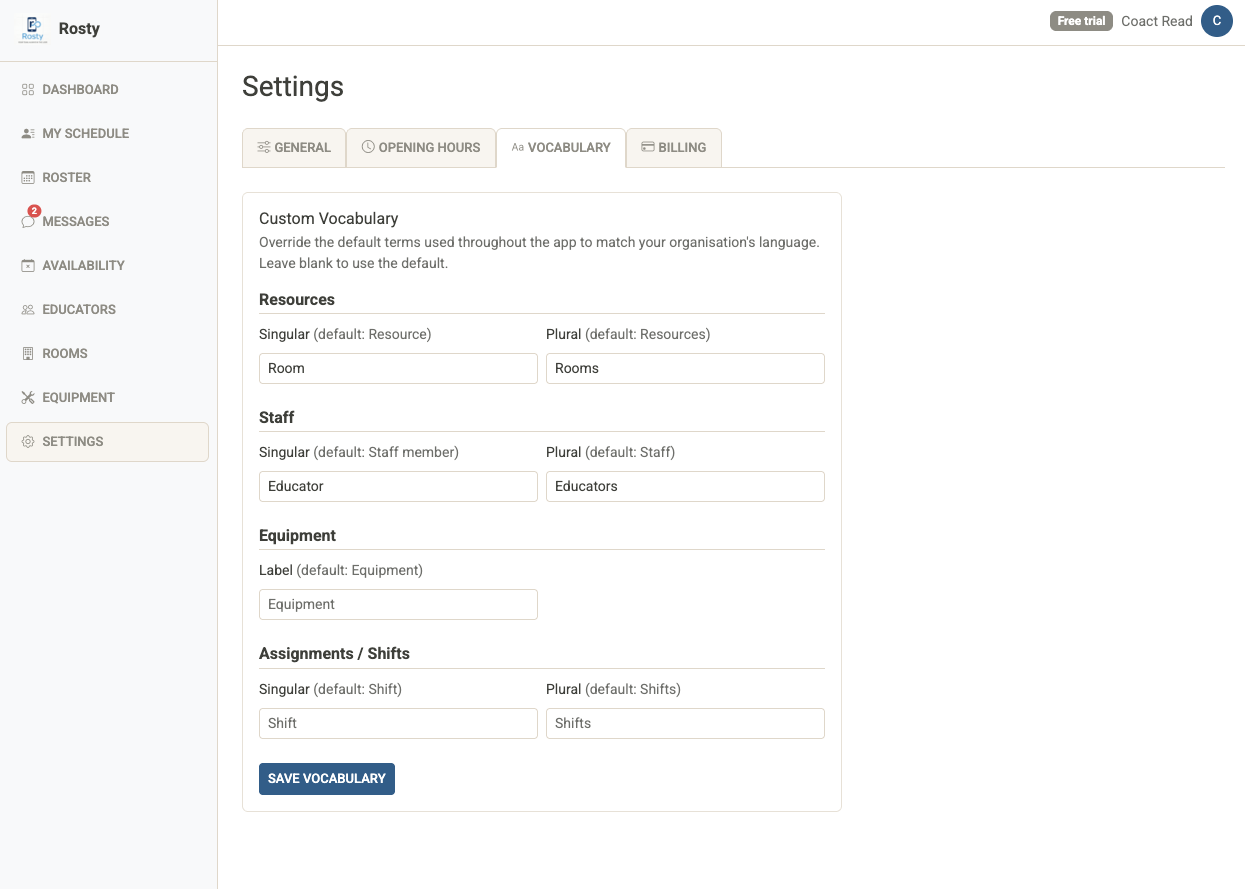
Rename Resources, Staff, Equipment, and Shifts to match your business. Whether it's clinics, bays, volunteers, or sessions — Rosty adapts to you.
- Custom vocabulary for all key terms
- Full dark and light mode — each user chooses their preference
- PWA-installable — add to your phone's home screen
- Stripe billing — upgrade or cancel any time from Settings