Rosters,
done in a dash
Drag-and-drop scheduling, built-in staff messaging, and unavailability tracking — all in one clean, fast app. No spreadsheets. No back-and-forth.
14-day free trial · No credit card required
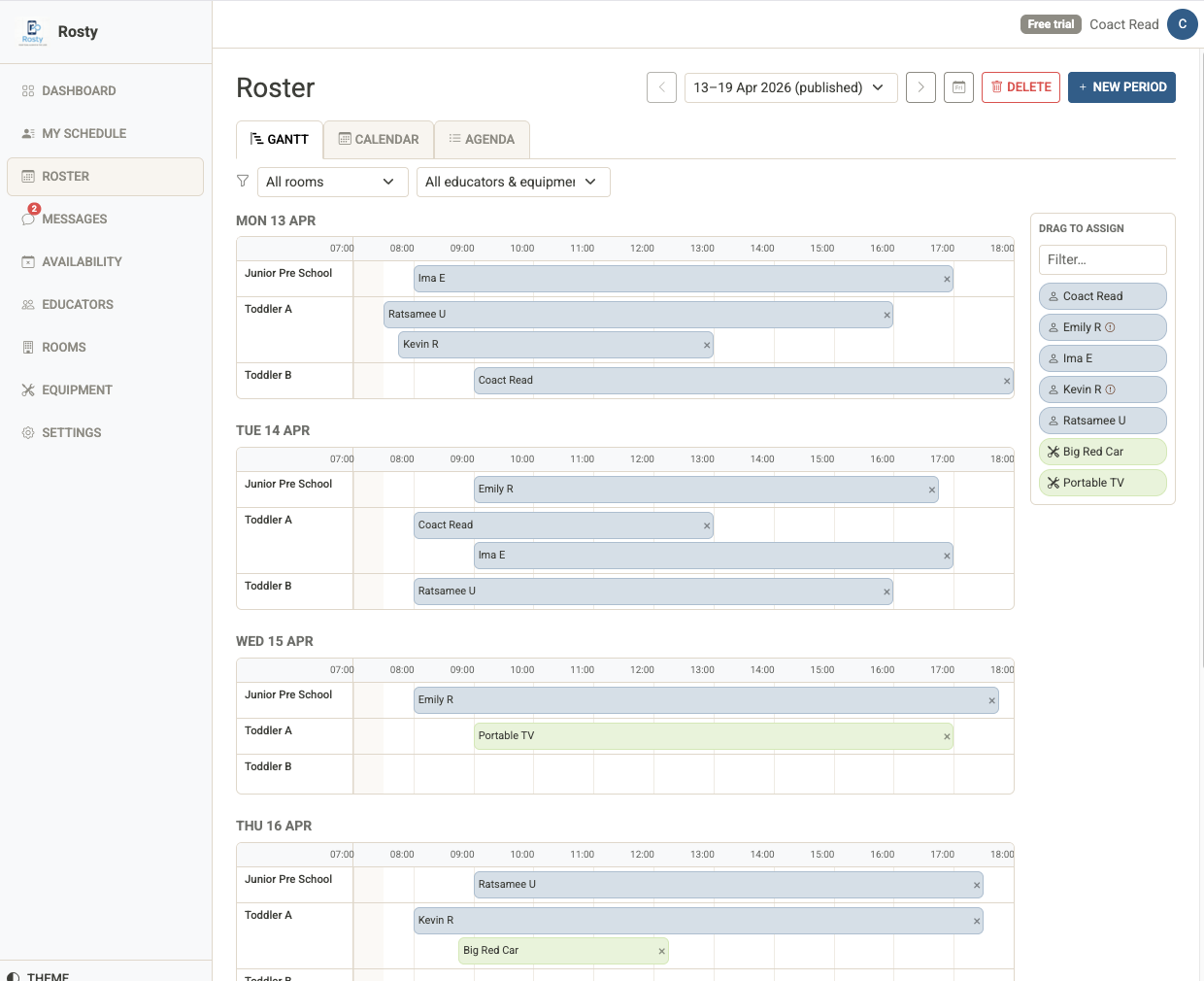
Drag-and-drop roster builder
Build rosters in minutes. Drag staff onto shifts, resize blocks to adjust times, and move assignments with a single gesture. Three view modes adapt to how you think.
- Gantt timeline — drag, resize, and see conflicts at a glance
- Calendar view — day, 3-day, and week grids
- Agenda view — clean chronological list for quick review
- Click any shift to edit in place
- Copy last week's roster as a starting point
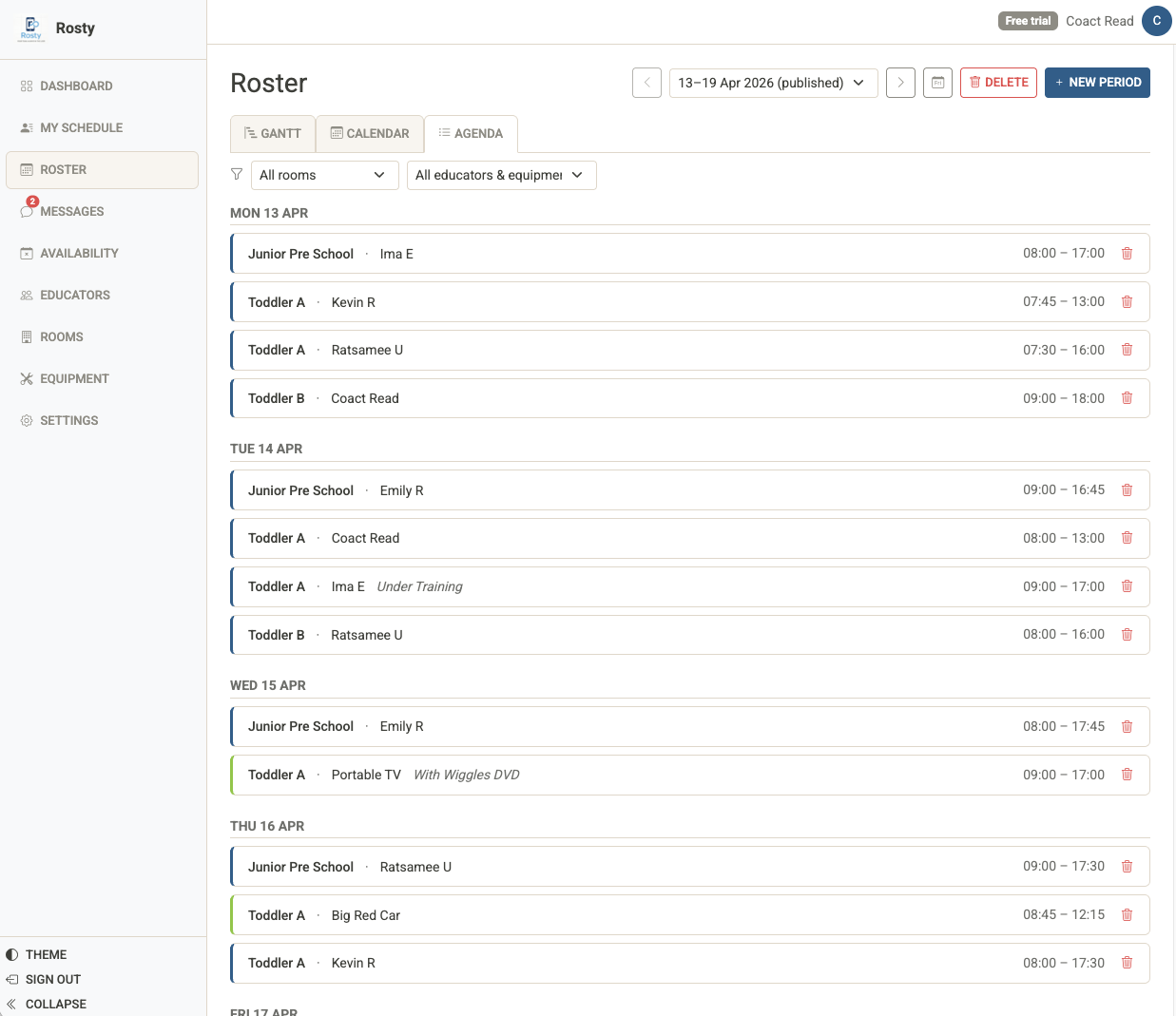
Know about clashes before you publish
Rosty checks availability and overlapping shifts every time you make an assignment. Unavailability shows as an amber band on the timeline — no surprises after you publish.
- Amber overlay on unavailable time slots during drag
- Conflict badges on assignment blocks
- Warning dots on staff chips in the sidebar
- Admin can override with a confirmation when needed
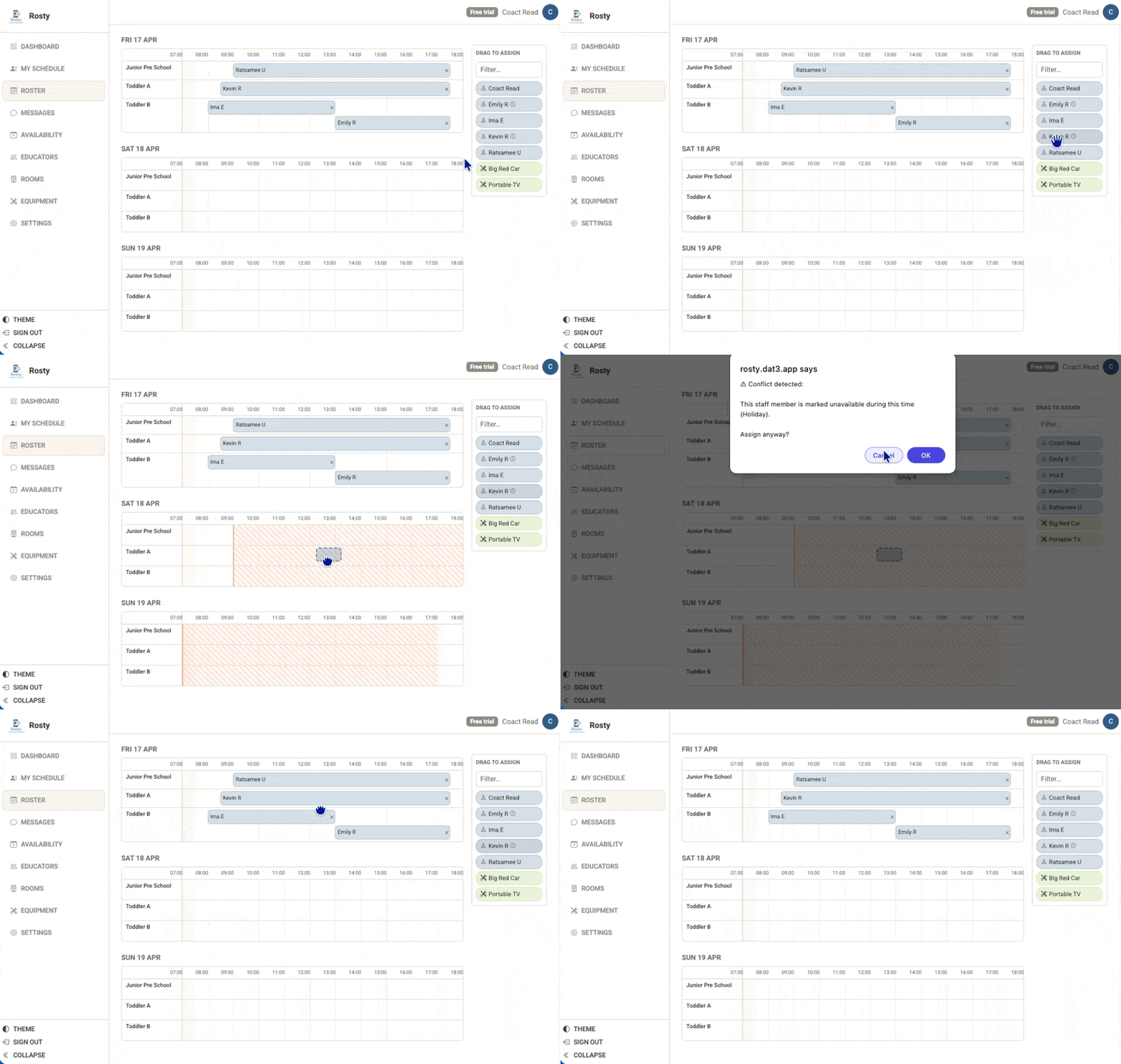
Messaging built right in
Message staff directly from the roster, availability page, or staff profile. No switching to email or WhatsApp — everything stays in one place.
- Threaded inbox for admins and staff
- File attachments — PDFs, images, documents (up to 5 MB)
- Email notifications for new messages
- Unread count badge in the navigation
- Sticky reply footer on mobile
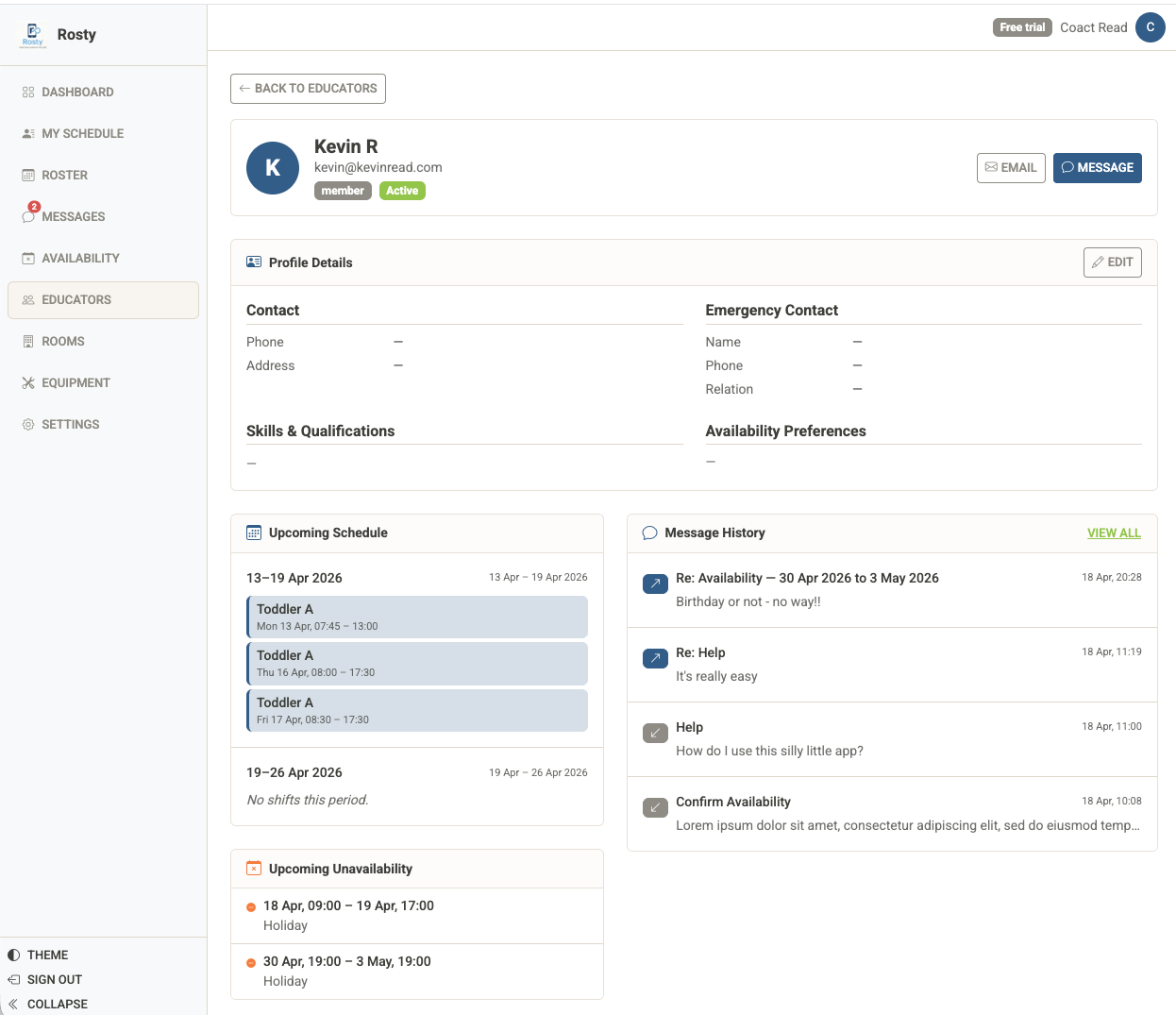
Everything about your staff, in one place
Admin captures contact details, emergency contacts, skills, qualifications, and availability preferences against each staff member. Staff can view their own profile and request updates.
- Phone, address, and emergency contact details
- Skills and qualifications displayed as tags
- Upcoming schedule and unavailability at a glance
- Message history with the staff member
- Staff self-service profile page
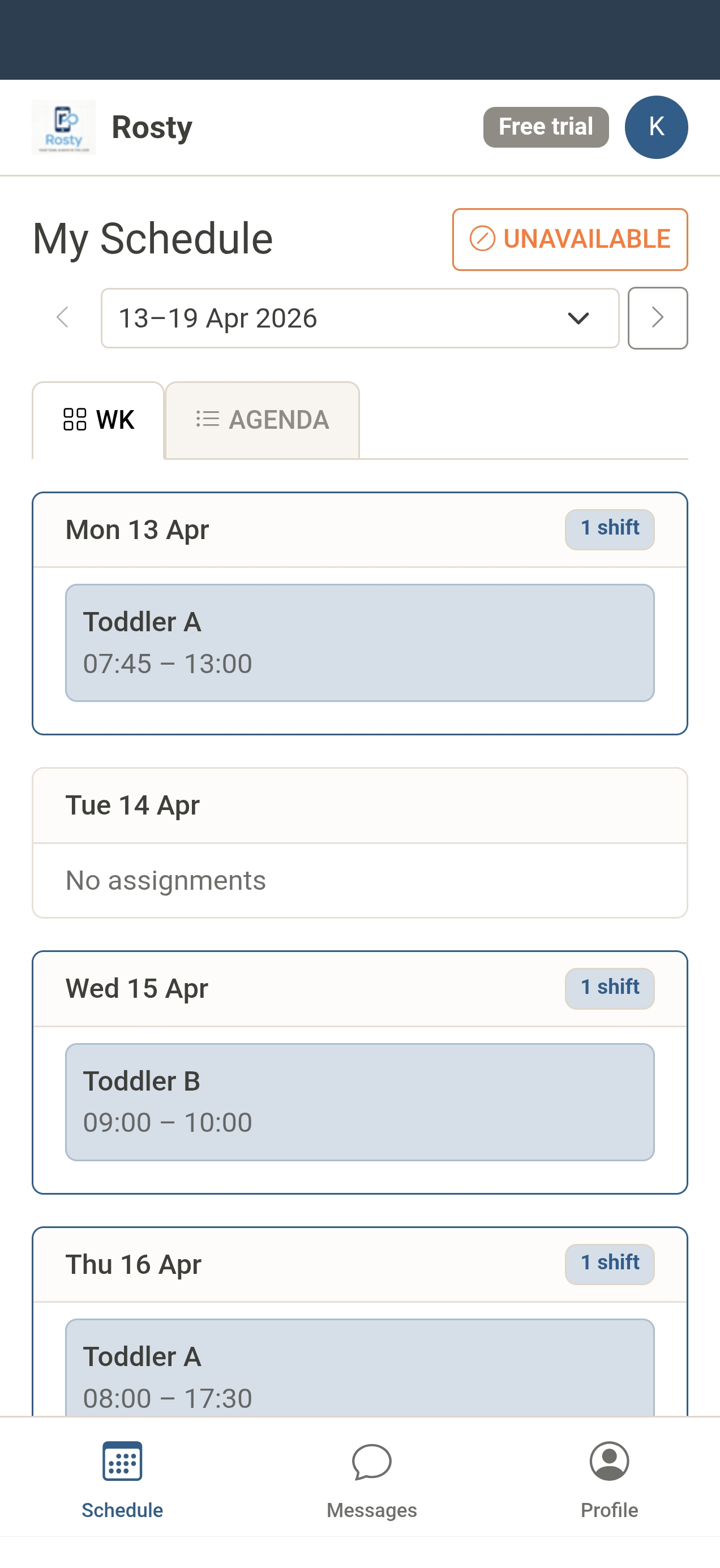
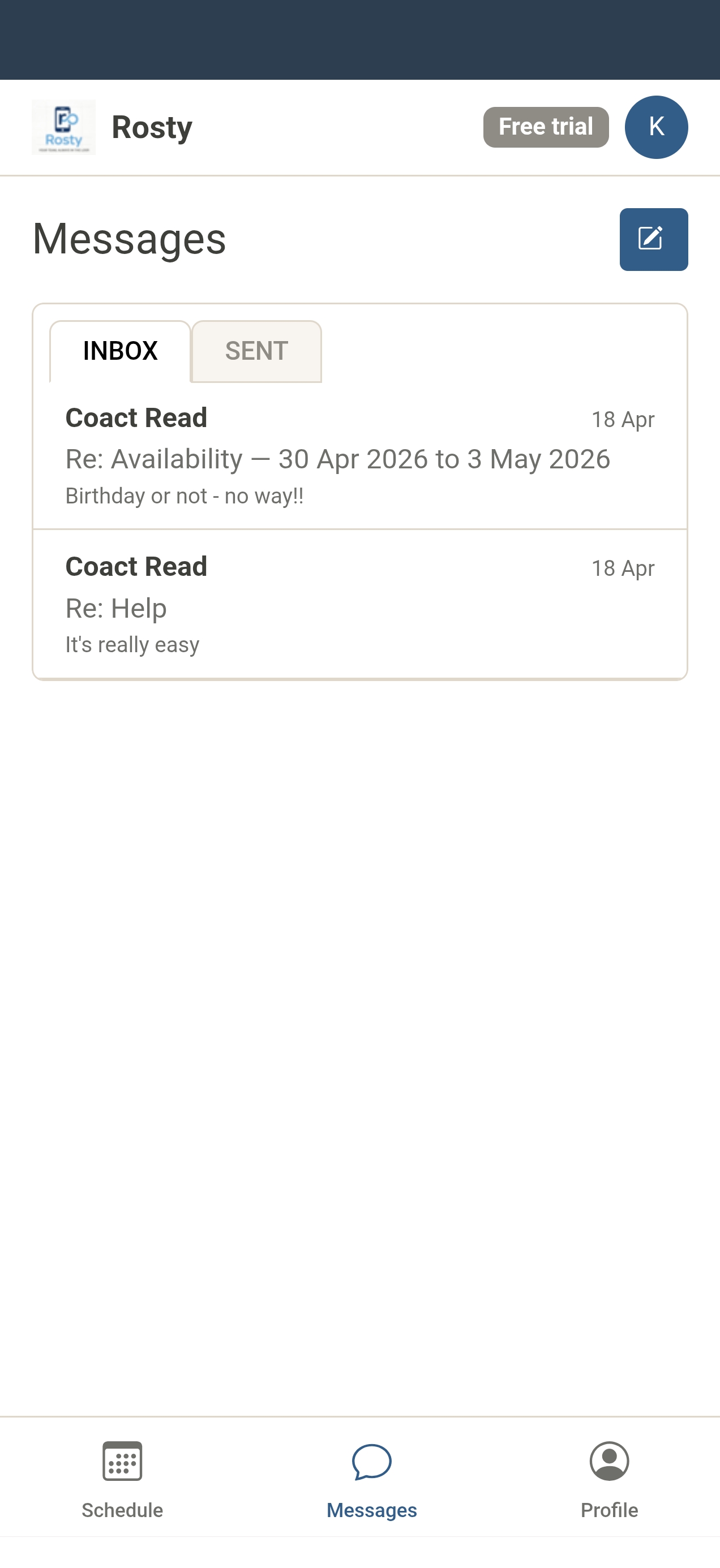
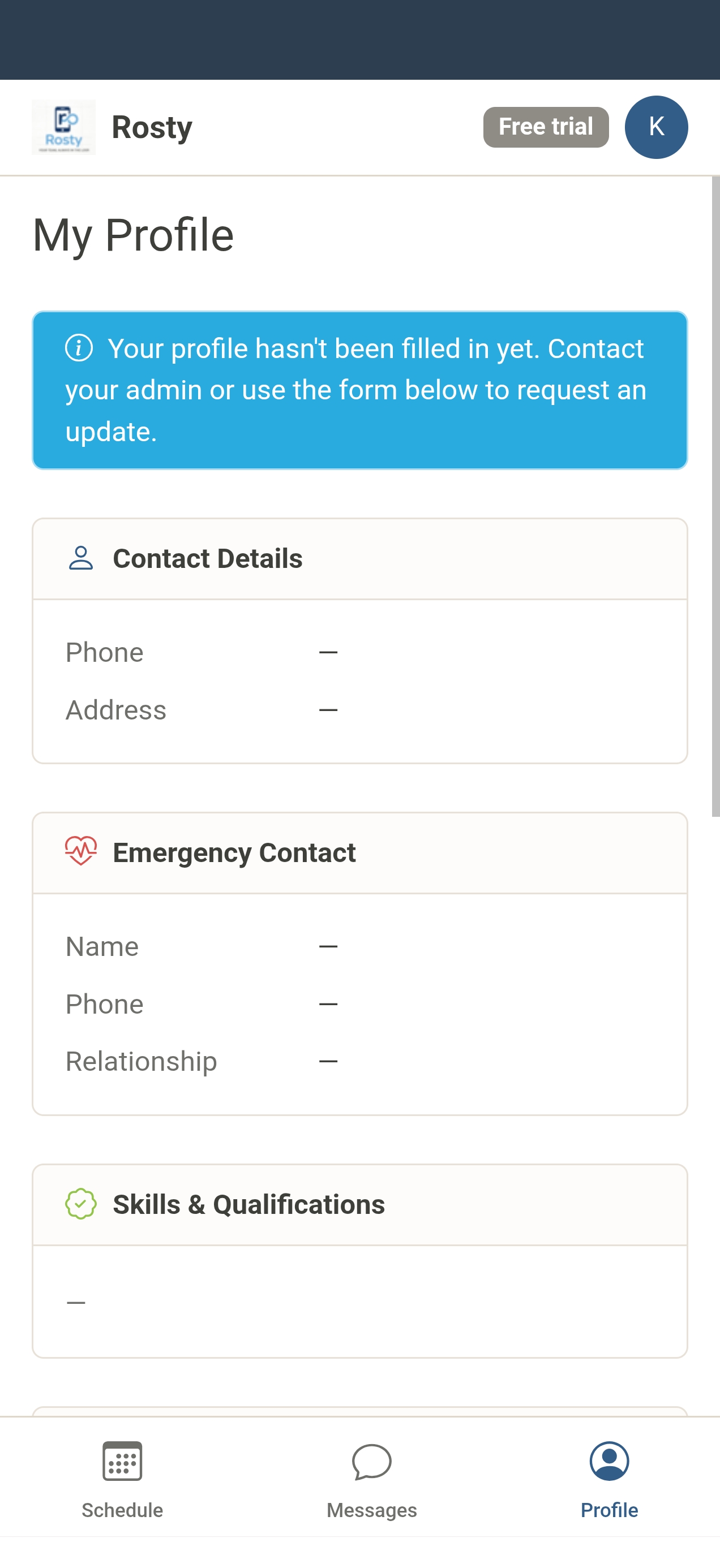
Your team lives on their phones
Staff get a clean, purpose-built mobile experience with a bottom navigation bar. No sidebar to hunt through — just their schedule, messages, and profile.
Simple, honest pricing
Start free. Upgrade when you're ready.
Free Trial
Up to 10 staff members
- Up to 10 staff members
- Unlimited roster periods
- Drag-and-drop scheduling
- Staff messaging
- Unavailability management
- Staff self-service portal
Pro
Up to 25 staff members
- Up to 25 staff members
- Everything in Free
- Message attachments
- Staff profiles
- Priority email support
Enterprise
Unlimited staff members
- Unlimited staff members
- Everything in Pro
- Custom vocabulary / branding
- Dedicated support
- SLA guarantee
Ready to simplify your rostering?
Join teams who've stopped fighting spreadsheets.
Start your free 14-day trial